Automated customer reminders that bring people back to your shop
WatchSense Team · · 3 min read
- reminders
- retention
- automation
Ask any shop owner where their next sale will come from and most will say "a new customer". Look at the till roll, though, and a large share of every month's sales comes from people who have bought before. The gap between those two answers is usually one thing: remembering to stay in touch.
Customers rarely leave because they were unhappy. They leave because life gets busy and your shop slips out of mind. A reminder sent at the right moment puts you back in it.
What a good reminder looks like
A reminder works when it is useful to the customer first and a sales message second. Compare these two:
- "Big sale this weekend! Visit us!"
- "Hi Priya, it's been 11 months since we replaced the battery on your Titan. Most batteries last about a year, so drop by any time this month for a free check."
The second one is personal, it is about their purchase, and it gives a real reason to come in. That is the kind of message people thank you for.
Reminders every shop can automate
You already know the moments that matter. The problem is tracking them by hand for hundreds of customers.
| Moment | Example message |
|---|---|
| Service due | "Your watch is due for its yearly service." |
| Battery or part replacement | "Your battery is about a year old. Free check this month." |
| Warranty ending | "Your warranty ends on 12 March. Bring it in for a check before then." |
| Birthday | "Happy birthday from all of us. Here's a small gift on your next visit." |
| Anniversary | "Happy anniversary! A great day to pick something special." |
| Follow-up after a sale | "How is your new purchase? Reply if anything needs adjusting." |
Each of these depends on a date you already have, such as the purchase date, the service date or the birthday. Once that date is saved, software can do the remembering.
How automation removes the busywork
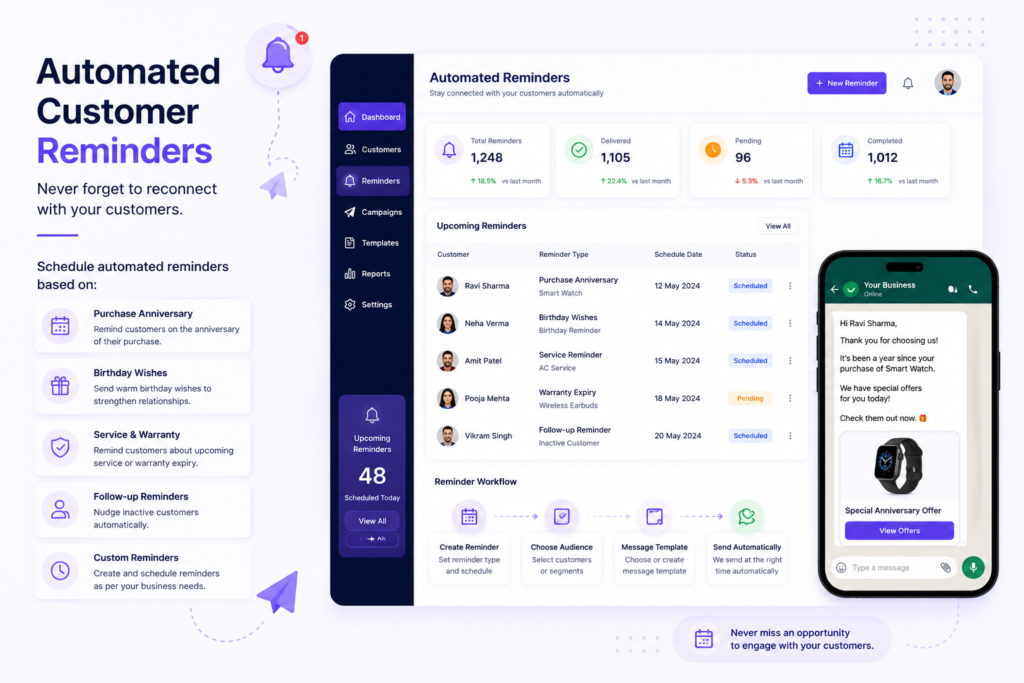
With a customer system like WatchSense, the flow looks like this:
- Save the details once at the counter: name, mobile number, what they bought and any important dates.
- Set the rule once, for example "send a battery reminder 11 months after purchase".
- The system sends it on time, on WhatsApp or email, in your shop's name.
Nobody has to check a notebook or a spreadsheet. New customers enter the cycle automatically, and you can see exactly what was sent and when.
Getting the timing right
- Send just before the need, not after. A service reminder two weeks before the due date beats one a month late.
- Pick sensible hours. Late morning and early evening work well. Avoid very early or late messages.
- Don't overdo it. One or two well-timed messages a month is plenty for most customers.
- Always respect opt-outs. If someone replies STOP, they should never hear from you again. Good software handles this for you.
Start small
You don't need ten campaigns on day one. Choose the single reminder that matters most to your business, whether that's services, renewals or birthdays, and switch it on. Watch how many customers come back over the next month. Then add the next one.
Small, timely, personal messages beat big discounts. Let the software remember, so you can focus on the customer in front of you.